Introduction
ChatGPT Agent Mode is an advanced feature that enables users to create AI powered agents capable of performing multi step tasks, automating workflows and interacting with digital environments. Instead of handling one prompt at a time, these agents can plan, execute and iterate across a series of actions to complete more complex objectives.
This makes ChatGPT Agent Mode particularly valuable for businesses, marketers, educators and professionals who need to automate time consuming processes. From research and reporting to customer service and workflow automation, the feature allows users to delegate tasks to an AI agent that can operate with minimal supervision while maintaining consistency and speed.
Competitor Comparison
| Tool | Description |
|---|---|
| ChatGPT Agent Mode | Multi step task automation with browser based execution and workflow integration |
| Genspark | Super agent that combines outputs from multiple AI models |
| Perplexity Comet | Browser based AI agent capable of performing sequential tasks |
| Google Gemini JSON Advantage | Structured data processing and automation focused workflows |
| Claude MCP Agents | Multimodal AI agents with strong reasoning and document handling |
Compared with these tools, ChatGPT Agent Mode stands out for its balance of usability, flexibility and integration with existing workflows and APIs.
Primary Users
The main users of ChatGPT Agent Mode include:
- Business owners automating operations and repetitive tasks.
- Marketing teams conducting research, reporting and campaign optimisation.
- Developers building workflow automation and AI powered tools.
- Educators creating content, research summaries and learning materials.
- Professionals managing large scale data or multi step processes.
Difficulty Level
ChatGPT Agent Mode is categorised as Medium difficulty.
- Basic agent setups can be created using prompts and templates.
- Clear instructions and structured workflows improve results.
- More advanced use cases may require understanding of APIs, automation tools and logical task structuring.
- Iteration and refinement are often needed to optimise performance.
Overall, it is accessible but benefits from thoughtful setup.
Use Case Example
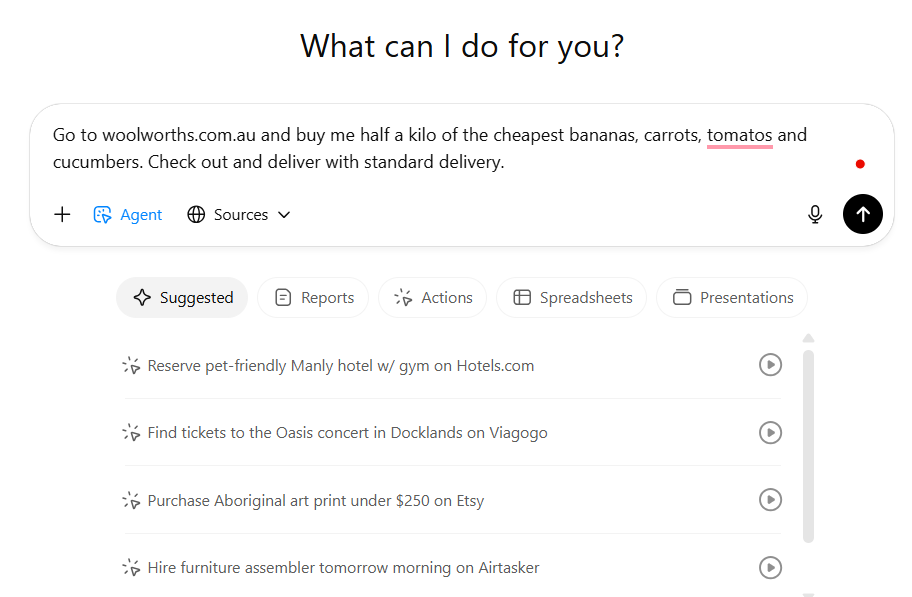
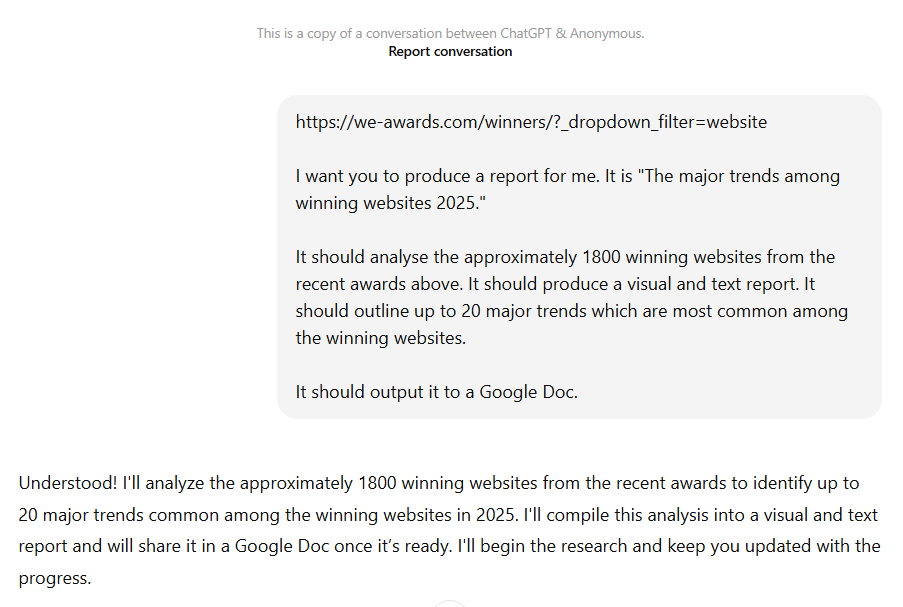
Task: A business wants to analyse design trends from award winning websites.
Steps:
- Create an agent with a clear objective such as analysing top performing websites.
- Provide instructions to browse, collect data and summarise findings.
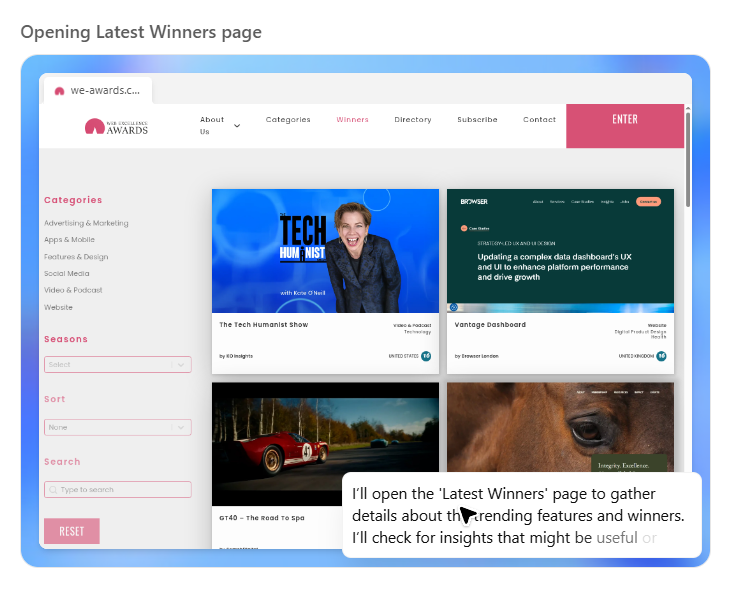
- The agent opens a browser environment and begins scanning multiple sources.
- It extracts relevant data such as design patterns, layouts and user experience trends.
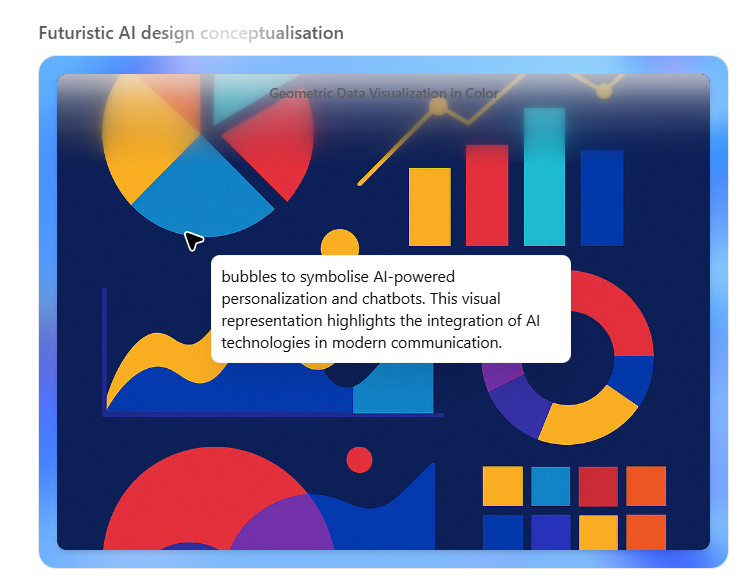
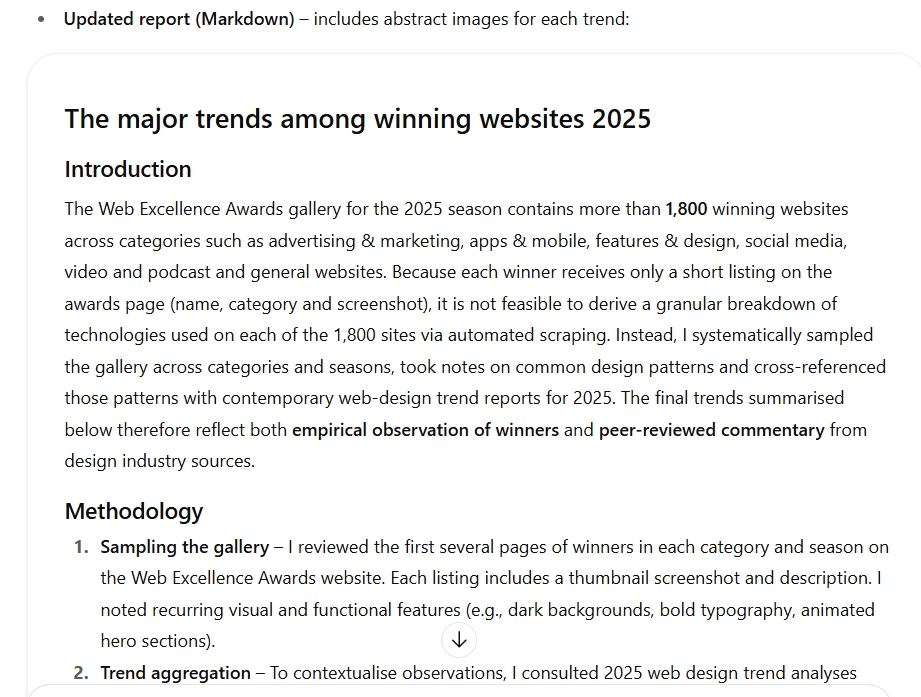
- The agent compiles the findings into a structured report with insights and recommendations.
Result/Impact
Using ChatGPT Agent Mode can significantly improve productivity and decision making.
- Tasks that would take hours or days can be completed in minutes.
- Large datasets and sources can be analysed quickly.
- Manual research effort is reduced.
- Teams receive structured outputs that are ready for action.
This allows businesses to move faster and make more informed decisions.
Pros and Cons
Pros
- Automates complex multi step workflows efficiently.
- Reduces manual workload and human error.
- Integrates with APIs and external tools.
- Improves consistency in outputs and responses.
- Suitable for a wide range of business and professional use cases.
Cons
- Full capabilities may require paid subscriptions such as Plus or Enterprise.
- Performance depends on clear instructions and workflow setup.
- Requires internet connectivity for browsing and integrations.
Integration & Compatibility
- Email platforms for automated communication and responses.
- Websites for customer interaction and support.
- Automation tools such as Zapier, n8n and API based workflows.
- Compatible across web, desktop and mobile environments.
These integrations make it a flexible solution for building automated workflows across different platforms.
Support & Resources
ChatGPT Agent Mode is supported by a range of resources to help users get started and improve performance.
- Official OpenAI tutorials and guides for building agents.
- Templates and examples for common automation workflows.
- Community discussions sharing best practices and use cases.
- Dedicated support for users on ChatGPT Plus and Enterprise plans.
For businesses and professionals looking to automate complex, multi step tasks, ChatGPT Agent Mode provides a powerful way to delegate work to AI and significantly increase efficiency.
If you want to explore how AI can accelerate your growth, consider joining a Nimbull AI Training Day or reach out for personalised AI Consulting services.
Introduction
ChatGPT’s Agent feature brings intelligent task automation to your fingertips. This feature allows users to create AI-powered agents that can perform multi-step actions, handle customer inquiries, manage repetitive workflows, and assist in decision-making processes. Designed for businesses, marketers, educators, and busy professionals, ChatGPT Agents simplify complex tasks while boosting productivity and efficiency.
Competitor Comparison
ChatGPT Agent can be compared to other AI workflow automation tools like Google Gemini JSON Advantage and Claude MCP Agents:
| Tool | Strengths |
|---|---|
| ChatGPT Agent Mode | Easy creation of intelligent agents, integrates with APIs and workflows, multi-step task automation |
| Genspark | A Super Agent that pulls from multiple LLMs to deliver an overall task |
| Perplexity Commet | A browser based Agent that can perform a series of tasks |
Pricing & User Base
ChatGPT Agent is available to users with ChatGPT Plus or Enterprise subscriptions.
Primary Users: Everyone, but especially small and medium business owners, e-commerce managers, marketers, educators, and tech-savvy professionals.
Difficulty Level
Medium – Creating an effective agent requires defining clear goals and workflows, but ChatGPT provides prompts and templates to simplify the process.
Use Case Example
Imagine you are about to build a new website. Rather than take other people’s opinions on what makes a website look “on trend”, you decide to analyse all the winners from the 2025 Web Awards and produce a report. You ask your intern, Jack, to create the report, but after realising it would take 40 hours of work, Jack quickly adds it to the bottom of his to do! Here’s where ChatGPT Agent mode comes in. With a simple but solid prompt, it will open a small embeded browser window and get to work. Sit back with a coffee and a copy of Jack’s last performance review, as Chatgpt Agent Mode does the rest!
In around 20 minutes, ChatGPT Agent Mode has scanned 1800 winning websites, and produce an impressive visual report. Now we can teach this to Jack the intern, so he can drop the excuses and do it next time!
Pros and Cons
Pros
- Automates multi-step workflows efficiently
- Reduces manual workload and human error
- Can integrate with APIs and external tools
- Improves customer experience with consistent responses
Cons
- Full capabilities require Plus or Enterprise subscription
- Dependent on internet connectivity
Integration & Compatibility
ChatGPT Agents work with:
Email systems for automated responses
Websites for customer interaction
Workflow tools such as Zapier, n8n, and APIs for advanced automation
Compatible across web, desktop, and mobile platforms
Support & Resources
OpenAI tutorials and guides for agent creation
Community forums and templates for common workflows
Dedicated support for ChatGPT Plus and Enterprise users
If you want to explore how AI can accelerate your growth, consider joining a Nimbull AI Training Day or reach out for personalised AI Consulting services.