Introduction
Opus Clip is an AI video repurposing tool built for content creators, marketers, and media teams who publish long-form video. The platform focuses on turning podcasts, interviews, webinars, and YouTube videos into short-form clips optimised for TikTok, Instagram Reels, and YouTube Shorts. Opus Clip uses AI to detect key moments, apply captions, and format videos for vertical platforms. The tool stands out for its automated virality scoring and minimal editing workflow.
Competitor Comparison:
Compared to platforms like Vidyo.ai, Munch, Descript, CapCut, and Pictory, Opus Clip prioritises speed, automation, and short-form performance scoring over manual editing control.
| Tool | Primary Users |
|---|---|
| Opus Clip | Content creators, podcasters, social media managers, agencies |
| Vidyo.ai | Marketers repurposing webinars and interviews |
| Munch | Brands focused on social distribution insights |
| Descript | Creators needing deep audio and video editing |
| CapCut | Short-form editors and mobile-first creators |
| Pictory | Marketers converting scripts into videos |
Pricing and User Base:
- At the time of writing, Opus Clip pricing starts at approximately 19 USD per month for individual creators, with higher tiers for teams and agencies.
- The platform reports hundreds of thousands of active users, driven by demand for short-form video across social platforms.
Difficulty Level:
Opus Clip is categorised as Easy to learn and use. The workflow suits creators who want output fast without spending time on timelines or manual cuts.
Use Cases:
We used Opus Clip to repurpose a 45-minute podcast episode into short-form clips.
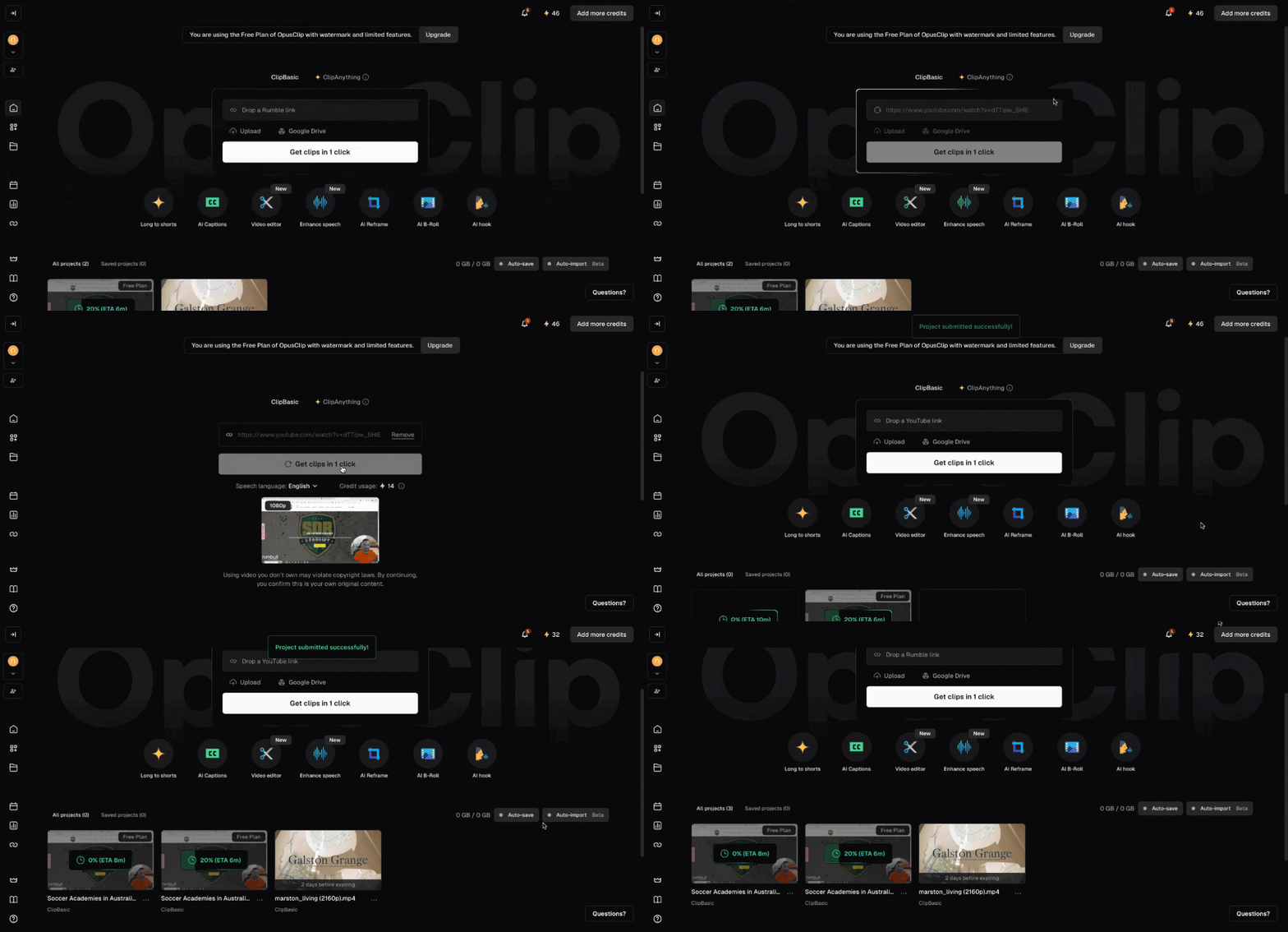
Step-by-step process:
Upload the full podcast video into Opus Clip.
Select the target platforms such as TikTok and Instagram Reels.
Let the AI analyse the video and identify high-engagement moments.
Review the generated clips with captions and framing applied.
Make light edits if needed, text positioning or clip trimming.
Export the final shorts in vertical format.
Take screenshots of the upload screen, clip selection view, and final export preview.
This process produced multiple ready-to-post clips in under ten minutes. The captions aligned well with spoken content and reduced manual editing time. We recommend Opus Clip for podcasters, educators, and founders publishing long-form video weekly.
Pros and Cons:
Pros :
- Fast conversion from long video to short clips.
- Automatic captions and vertical formatting.
- Virality scoring helps prioritise clips.
Cons :
- Limited manual editing controls.
- Best results depend on clear spoken content.
Before :
After :
| Channel | Budget | Avg. CPL | Reason |
|---|---|---|---|
| Meta Ads | $1,800 | $39.95 | Lower cost per lead, ideal for lead volume and top-of-funnel reach. |
| Google Ads | $1,200 | $55.70 | Higher CPL, but leads typically show stronger purchase intent. |
Integration and Compatibility:
Opus Clip integrates with YouTube uploads and local video files. Export formats support TikTok, Instagram Reels, and YouTube Shorts, which fits creators running multi-platform video strategies.
Support and Resources:
Opus Clip offers onboarding tutorials, help documentation, and email support. The platform also provides example workflows for podcasters and social media teams.
Give your videos a fresh life and make every second count. If you’d like to learn more about how AI and automation can help you grow, consider attending a Nimbull AI Training Day or reach out for AI Consulting services.