Introduction
For businesses and content creators, Lovo significantly reduces the cost and time associated with traditional voice production.
Competitor Comparison
Here is how Lovo compares with other AI voice generation platforms:
| Tool | Description |
|---|---|
| Lovo | Wide range of realistic voices with fast and simple audio generation |
| Murf AI | Studio quality voiceovers with collaboration features |
| Resemble AI | Voice cloning capabilities and multilingual support |
| WellSaid Labs | High quality professional voice outputs |
| ElevenLabs | Highly expressive voices with custom voice creation |
| Descript | Combines audio editing with AI voice generation |
Compared with these tools, Lovo stands out for its balance of ease of use, voice variety and speed of content creation.
Primary Users
- Content creators producing videos, podcasts and social media content.
- Marketing teams creating advertisements and promotional audio.
- Educators developing e learning courses and training materials.
- Businesses generating voiceovers for product demos or explainer videos.
- Freelancers and agencies offering voiceover services without recording studios.
Difficulty Level
Lovo is categorised as Easy difficulty.
- The platform is designed for beginners with a simple and intuitive interface.
- Users can generate voiceovers by entering text and selecting a voice.
- No technical or audio production experience is required.
- More advanced adjustments such as tone, pacing and emphasis can be learned quickly.
This makes it accessible to both beginners and experienced content creators.
Use Case Example
Here is a practical example of how Lovo can be used to create professional voiceovers.
Steps:
- Log in to Lovo and select a voice that matches the course tone.
- Enter the script for each lesson or module.
- Adjust settings such as tone, speed and emphasis to improve delivery.
- Generate the audio file using the AI engine.
- Download the voiceover and integrate it into video lessons or presentations.
Result/Impact
Using Lovo can significantly improve content production efficiency.
- Eliminates the need for hiring voice actors.
- Reduces production time for audio content.
- Ensures consistency across multiple recordings.
- Allows rapid iteration and updates to scripts.
For businesses and educators, this results in faster content delivery and lower production costs.
Pros and Cons
Pros
- Large library of realistic and natural sounding voices.
- Fast and efficient voice generation from text.
- User friendly interface suitable for beginners.
- Supports a wide range of use cases including marketing and education.
- Reduces cost compared with traditional voice production.
Cons
- Advanced voices and features require a premium subscription.
- Some accents or tones may require fine tuning for best results.
- Limited functionality in the free plan.
Integration & Compatibility
Lovo integrates well with modern content creation workflows.
- Web based platform accessible through any modern browser.
- Supports export in multiple audio formats such as MP3 and WAV.
- Can be used alongside video editing tools and e learning platforms.
- Suitable for integration into content production pipelines.
These capabilities make it easy to incorporate AI generated audio into broader digital projects.
Support & Resources
Lovo provides a range of support resources to help users get started.
- Detailed tutorials and step by step guides.
- Knowledge base covering features and troubleshooting.
- Email support for technical assistance.
- Community resources and examples for inspiration.
For creators and businesses looking to scale audio content production, Lovo offers an efficient and accessible way to generate high quality voiceovers using AI.
If you want to explore how AI can accelerate your growth, consider joining a Nimbull AI Training Day or reach out for personalised AI Consulting services.
Introduction
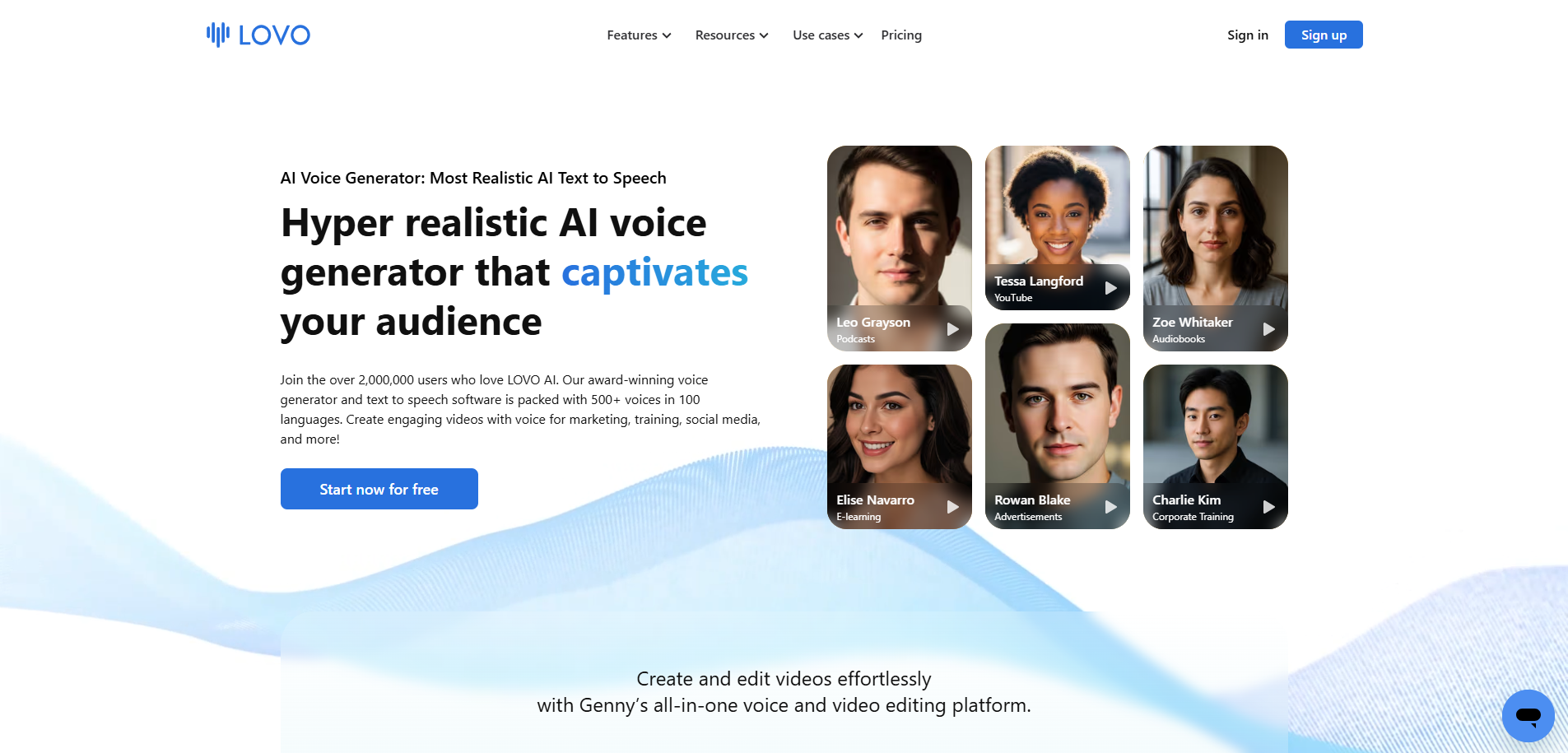
Lovo is a powerful AI voice generation platform that enables individuals and businesses to create realistic, human-like voiceovers in minutes. With a vast library of voices and tones, Lovo is ideal for content creators, marketers, educators, and businesses looking to produce audio content without expensive recording equipment or professional voice actors. Its user-friendly interface allows anyone to generate natural-sounding audio for videos, podcasts, advertisements, or e-learning courses.
Competitor Comparison
Lovo competes with tools like Murf AI, Resemble AI, WellSaid Labs, ElevenLabs, and Descript.
| Tool | Strengths |
|---|---|
| Lovo | Wide range of realistic voices, easy-to-use, quick audio generation |
| Murf AI | Studio-quality voices, team collaboration features |
| Resemble AI | Voice cloning capabilities, multilingual support |
| WellSaid Labs | Professional voiceovers, high-quality output |
| ElevenLabs | Natural and expressive AI voices, custom voice creation |
| Descript | Audio editing + AI voice integration |
Pricing & User Base
At the time of writing, Lovo offers a free basic plan with limited voice options. Premium plans start from approximately USD $14/month, unlocking advanced voices and commercial usage rights.
Primary Users: Content creators, marketing teams, educators, podcasters, and small businesses.
Difficulty Level
Easy – Lovo’s intuitive interface makes it straightforward for beginners to create professional-quality voiceovers without technical expertise.
Use Case Example
Imagine you are producing an online course and need professional voiceovers for your lessons but don’t have access to a voice actor.
Log in to Lovo and choose a voice that matches your course style.
Input your script for each lesson or section.
Adjust tone, pace, and emphasis to suit your audience.
Generate the audio and download it for integration into your videos.
This approach saves you time, reduces costs, and ensures consistent, high-quality voiceovers across all your content.
Pros and Cons
Pros
- Large library of realistic, human-like voices
- Quick and easy voice generation
- User-friendly interface suitable for beginners
- Multiple use-cases: marketing, e-learning, podcasts, videos
Cons
- Some advanced voices and features require premium subscription
- May require fine-tuning for specific accents or tones
- Limited free plan features
Integration & Compatibility
Web-based platform accessible from any modern browser
Export audio in multiple formats (MP3, WAV, etc.)
Can integrate into video editing software or e-learning platforms
Support & Resources
Detailed tutorials and guides
Knowledge base for troubleshooting
Email support and community resources
If you want to explore how AI can accelerate your growth, consider joining a Nimbull AI Training Day or reach out for personalised AI Consulting services.