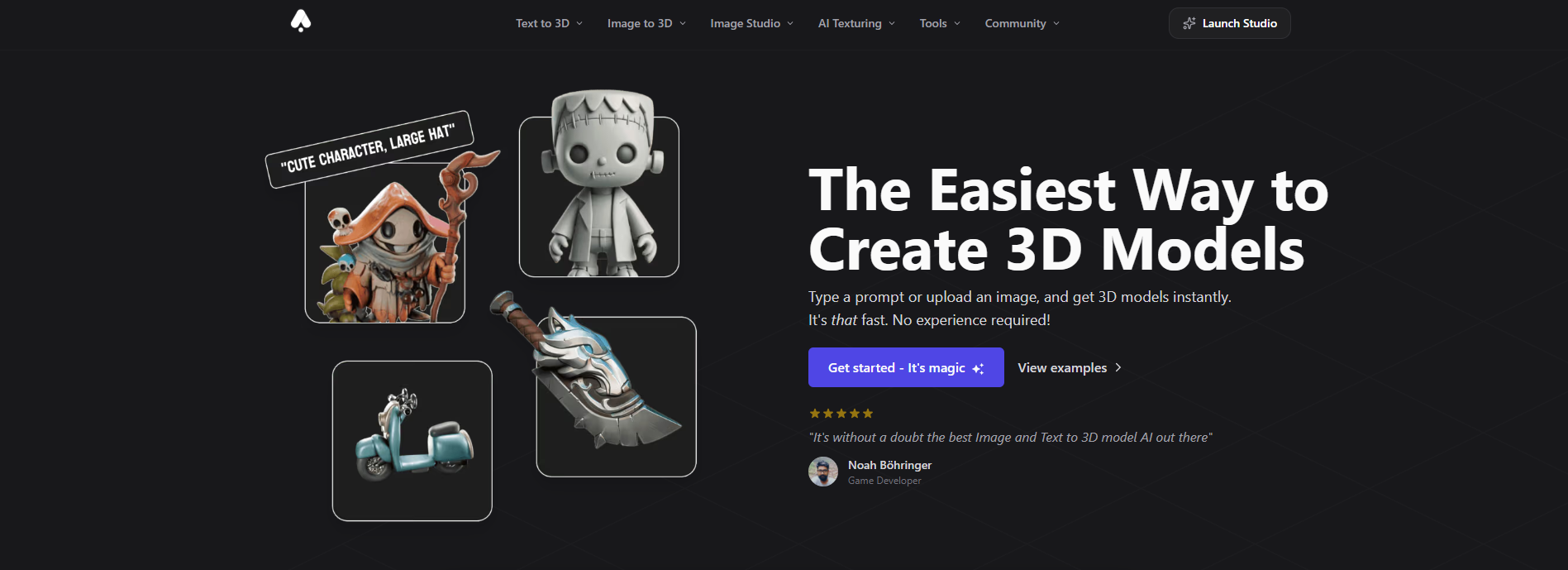
In the realm of 3D modeling, efficiency and creativity are paramount. 3D AI Studio leverages artificial intelligence to transform text descriptions and images into high-quality 3D models in mere seconds, significantly accelerating the design process. Whether you’re a game developer, designer, or hobbyist, this platform offers a suite of tools to bring your ideas to life effortlessly.3D AI Studio
Key Features of 3D AI Studio:
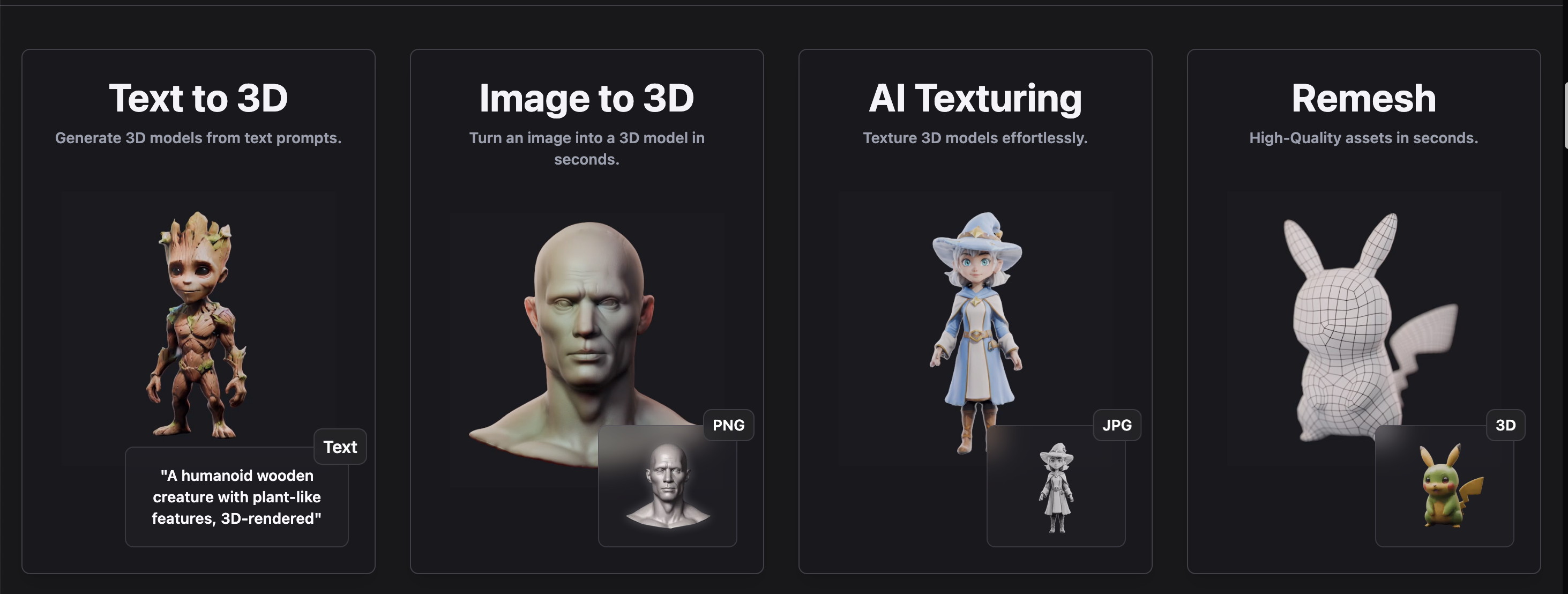
- Text-to-3D Generation: Convert textual prompts into detailed 3D models swiftly, allowing for rapid prototyping and iteration.
- Image-to-3D Conversion: Upload reference images to generate corresponding 3D models, streamlining the modeling process.
- AI Texturing: Apply realistic textures to your 3D models automatically, enhancing visual fidelity without manual effort.
- Seamless Integration: Easily incorporate your 3D creations into various applications, supporting multiple file formats for versatility.
Benefits:
- Time and Cost Efficiency: Reduce modeling time by up to 95%, lowering production costs and accelerating project timelines.Future Tools
- User-Friendly Interface: Designed for both novices and professionals, the intuitive interface simplifies the modeling process.
- High-Quality Outputs: Generate detailed and accurate 3D models suitable for various applications, from gaming to 3D printing.
Getting Started:
To experience the capabilities of 3D AI Studio, visit their official website at https://www.3daistudio.com/. The platform offers a free trial, allowing users to explore features before committing to a subscription.
For a comprehensive walkthrough on utilizing 3D AI Studio, you might find the following tutorial helpful:
If you’d like to learn more about how AI can help you grow, consider attending a Nimbull AI Training Day or reach out for AI Consulting services.
Introduction
Competitor Comparison
3D AI Studio competes with several AI-driven and traditional 3D creation platforms.
| Tool | Strengths |
|---|---|
| 3D AI Studio | Text-to-3D and image-to-3D generation, fast asset creation, beginner-friendly |
| Spline | Real-time 3D design for web, strong collaboration features |
| Blender | Full control over modeling and rendering, open-source ecosystem |
| Kaedim | AI-assisted 3D assets for games, production-focused output |
| Luma AI | Photogrammetry and NeRF-based 3D capture from video |
| Meshy | Text-to-3D and texture generation, game-ready assets |
Compared with traditional tools like Blender, 3D AI Studio focuses on speed and accessibility, while still producing assets suitable for real time applications.
Primary Users
- Game developers creating assets for mobile, indie or AAA projects
- Ecommerce businesses producing 3D product visualisations
- AR and VR developers building immersive experiences
- Designers and creators prototyping concepts quickly
- Non technical users who need 3D assets without learning complex software
Difficulty Level
Manus is categorised as Medium difficulty.
- The interface is clean and user friendly
- Users must write clear and structured task instructions
- Better results come from precise inputs and defined outcomes
- Ideal for users comfortable with logical thinking and workflows
Use Case Example
Steps:
- Define the asset concept: “Create a low poly medieval sword. Game ready. Clean topology. Neutral lighting.”
- Generate the model and review it in the 3D preview dashboard
- Rotate and inspect the asset to confirm proportions and overall design
- Refine the model by adjusting polygon density and improving edge definition
- Export the final asset in GLB or FBX format
- Import the model into a game engine and test lighting, scale and performance
Result/Impact
Using 3D AI Studio significantly speeds up the 3D asset creation process.
- Asset creation time is reduced from days to minutes
- Developers can iterate quickly during prototyping stages
- Teams can produce more assets without increasing production costs
- Non technical users can participate in 3D content creation
This makes the platform especially valuable for startups, indie developers and rapid prototyping workflows.
Pros and Cons
Pros
- Fast text to 3D and image to 3D generation
- Generates clean meshes suitable for real time use
- Supports multiple export formats for game engines
- Beginner friendly interface with minimal setup
- Accelerates prototyping and creative workflows
Cons
- Free plan limits the number of exports
- Complex or highly detailed assets may require manual refinement
- Texture control options are limited for advanced users
Integration & Compatibility
3D AI Studio integrates well with standard 3D production workflows.
- Supports export formats such as GLB, FBX and OBJ
- Compatible with game engines like Unity and Unreal Engine
- Can be used alongside tools like Blender for further refinement
- Suitable for AR, VR and real time rendering pipelines
These integrations ensure that generated assets can be used across a wide range of applications.
Support & Resources
3D AI Studio provides a range of support resources for users.
- Detailed documentation and prompt writing guides
- Tutorial videos covering beginner to advanced workflows
- Email support for technical assistance
- Community channels where users share tips and examples
For creators looking to produce 3D models quickly and efficiently, 3D AI Studio offers a powerful AI driven solution that simplifies the entire workflow.
If you want to explore how AI can accelerate your growth, consider joining a Nimbull AI Training Day or reach out for personalised AI Consulting services.