Skip to content Skip to sidebar Skip to footer

Runway: Revolutionizing Video Creation with AI-Powered Editing

Runway AI: Revolutionizing Video Editing for E-Commerce

We’ve been completely blown away by the power of Runway AI’s video editing capabilities. With its user-friendly interface, incredible accuracy, and robust feature set, it’s quickly outperforming many mainstream tools like Sora. Whether you’re a small business or a large e-commerce brand, Runway AI is reshaping the way we approach video content creation, making it more accessible and efficient than ever before.

Our e-commerce clients, in particular, are loving the ability to upload images of their clothing products and generate realistic videos with just a simple prompt. For example, a prompt like “make a video of an African model trying on this outfit, adjusting it as she comes out of a change room” delivers exceptional results that truly boost conversion rates on product pages. This level of automation and creativity is something that is setting Runway AI apart from its competitors.

In addition to Runway AI, there are a few noteworthy competitors like Synthesia, Pictory, and Descript that are also making strides in AI-powered video editing. However, Runway AI’s ability to seamlessly blend usability with advanced functionality has positioned it as one of the top tools in the industry.

If you’d like to learn more about how AI can help you grow, consider attending a Nimbull AI Training Day or reach out for AI Consulting services.

Introduction
Runway is an AI video generation and video editing platform for marketers, creators, and production teams. Runway supports text to video, image to video, video to video style transfer, and AI-assisted editing inside a browser workspace. Runway also offers team workspaces, export controls, and an API for product teams embedding generative video into apps.
Competitor Comparison
Runway competes with AI video tools like Pika, Luma Dream Machine, Adobe Firefly Video, Kaiber, and Synthesia. Runway’s edge sits in an all-in-one workflow, generation plus editing plus export, with credits and team controls in one place.
Tool Strengths
Runway Text to video, image to video, video editing tools, team workspaces
Pika Fast idea-to-clip flow, social-friendly effects
Luma Dream Machine Strong motion and cinematic feel for scenes
Adobe Firefly Video Built for Adobe workflows and commercial-safe pipelines
Kaiber Music-video style edits and stylized generation
Synthesia Avatar-led training and explainers, script-to-video
Pricing & User Base
  • Free plan: USD 0, includes a one-time deposit of 125 credits
  • Standard plan: USD 12 per user per month, billed annually
  • Pro plan: USD 28 per user per month, billed annually
  • Unlimited plan: USD 76 per user per month, billed annually
  • Enterprise plan: Sales-led quote (pricing varies by contract)
Primary Users: Creators producing short-form content, Marketing teams producing ads and product demos, Agencies producing client concept videos, Studios exploring previsualization, pitch films, and compositing workflows, Product teams embedding generative video via API.
Difficulty Level
  • Ease of Use: Easy to Medium

  • Runway’s UI fits beginners who want templates and quick generations, and also supports advanced users who need export formats like ProRes and masking workflows.

Use Case Example

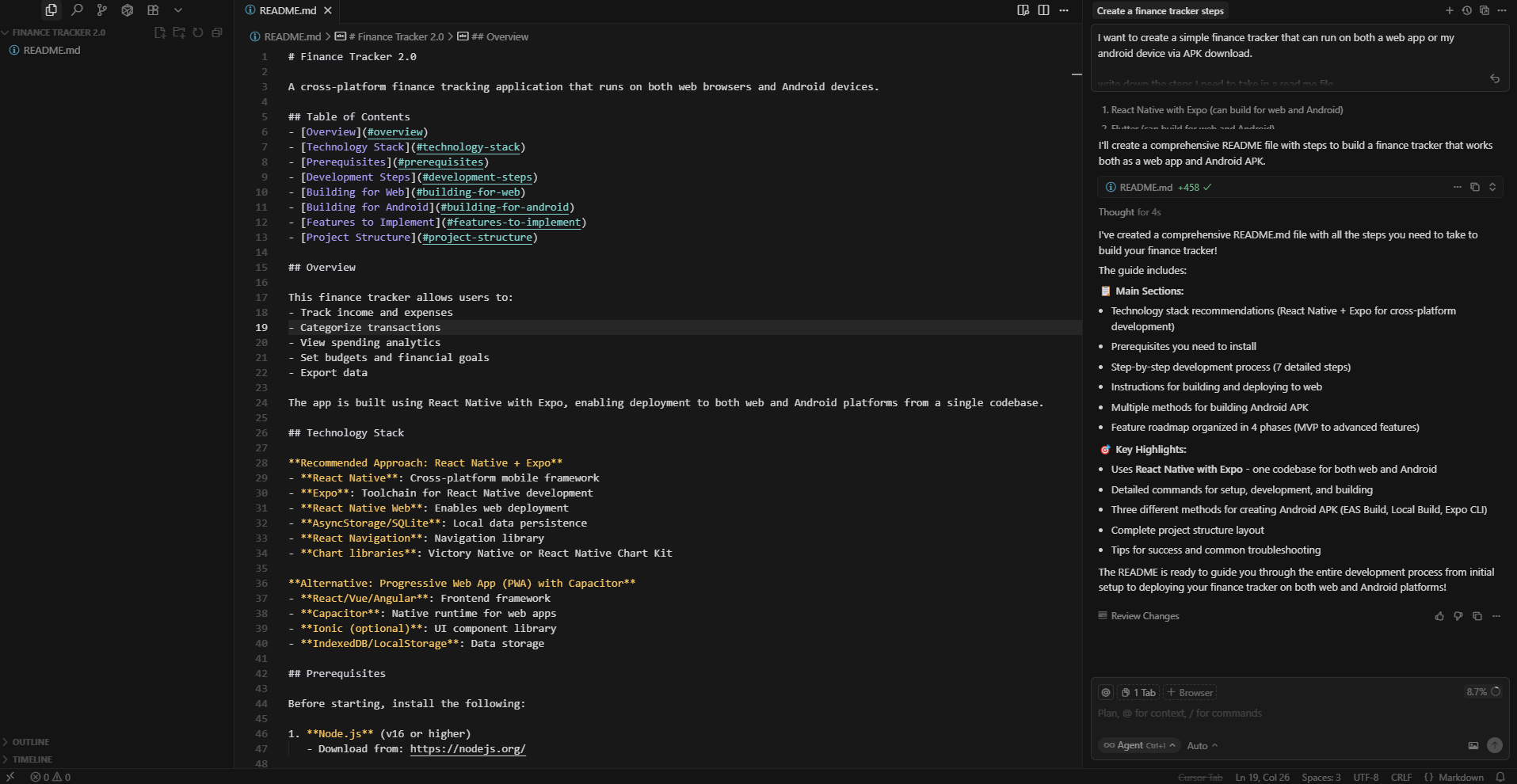
Imagine you wanted to build an app to get your personal finances sorted, one that works on both your desktop and your Android. You could use Cursor, an AI coding tool. You just use plain English to tell it exactly how you want it to look and what fields to build.

We can start the build using this sentence:

I want to create a simple finance tracker that can run on both a web app or my android device via APK download. Write down the steps I need to take in a read.me file”
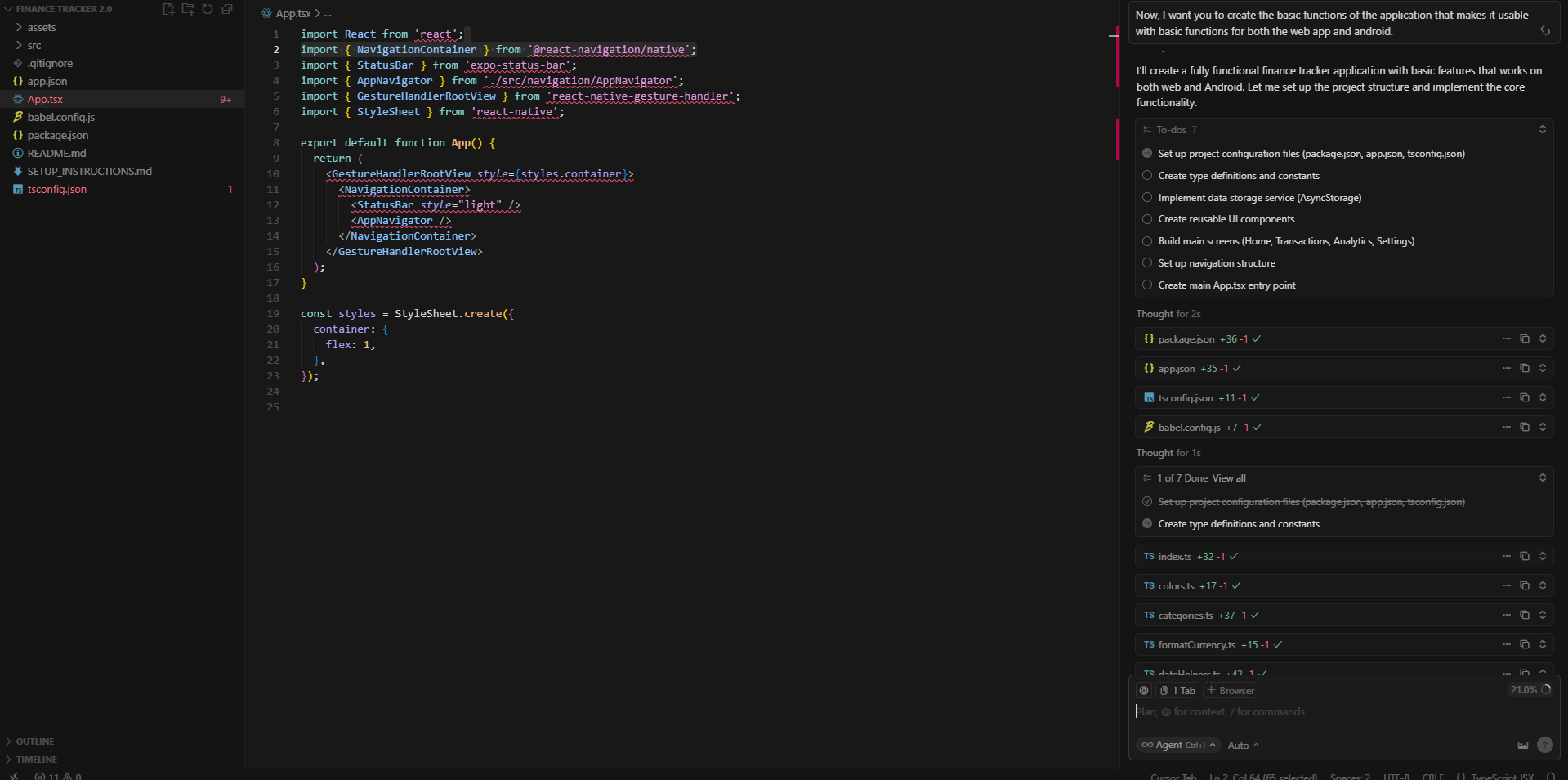
To initialize the build by using this sentence:

Now, I want you to create the basic functions of the application that makes it usable with basic functions for both the web app and android.”
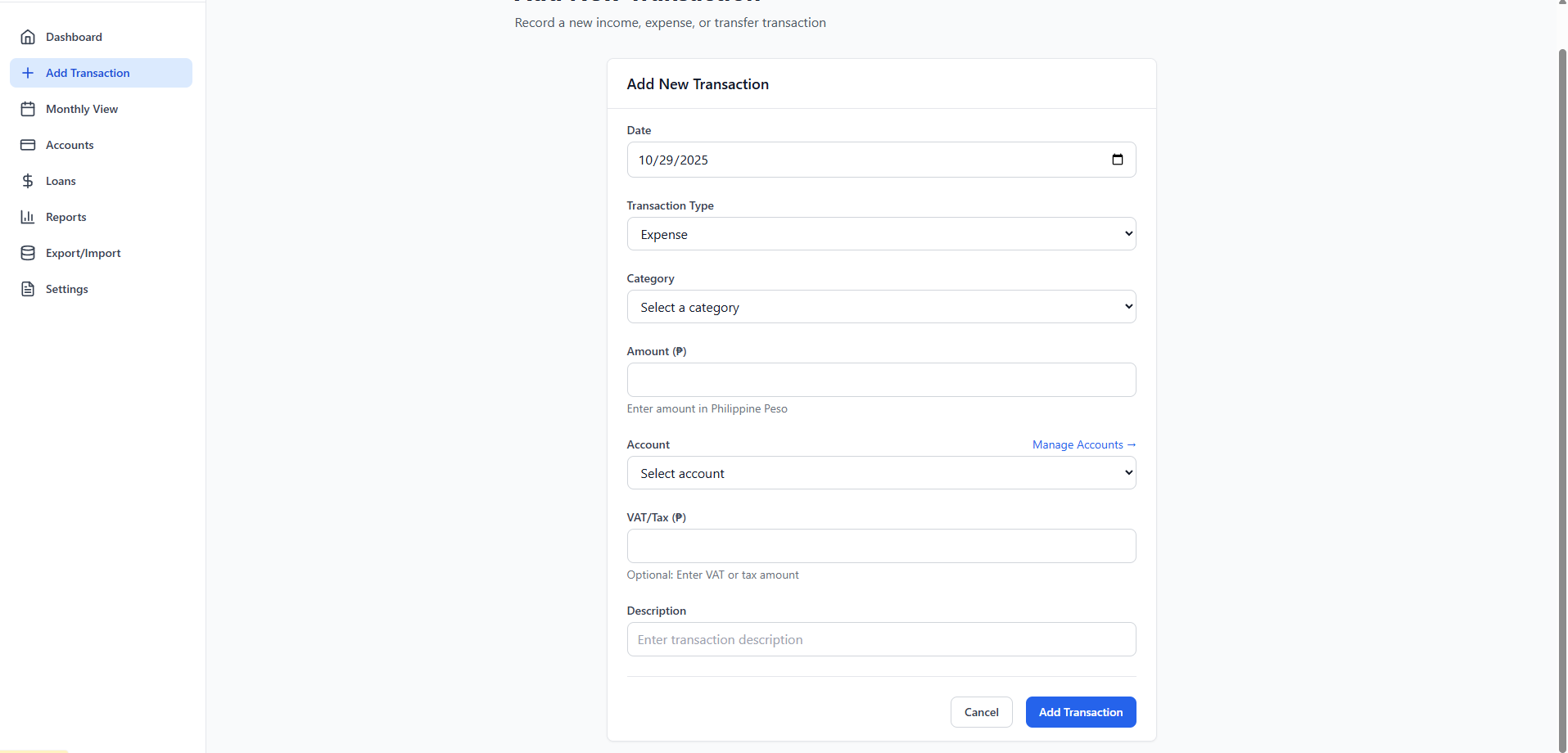
We can change the input fields in the forms using this sentence:

“I want you to replace the current forms with the following fields: date, type, category, amount, payment method, tax, description, accountFrom, accountTo, transferFee, withdrawFrom, withdrawFee”
We can change the background color to allow for dark mode and vice versa using this sentence:

“I want you to have a dark mode and light mode functionality that works for both the web app and android.”
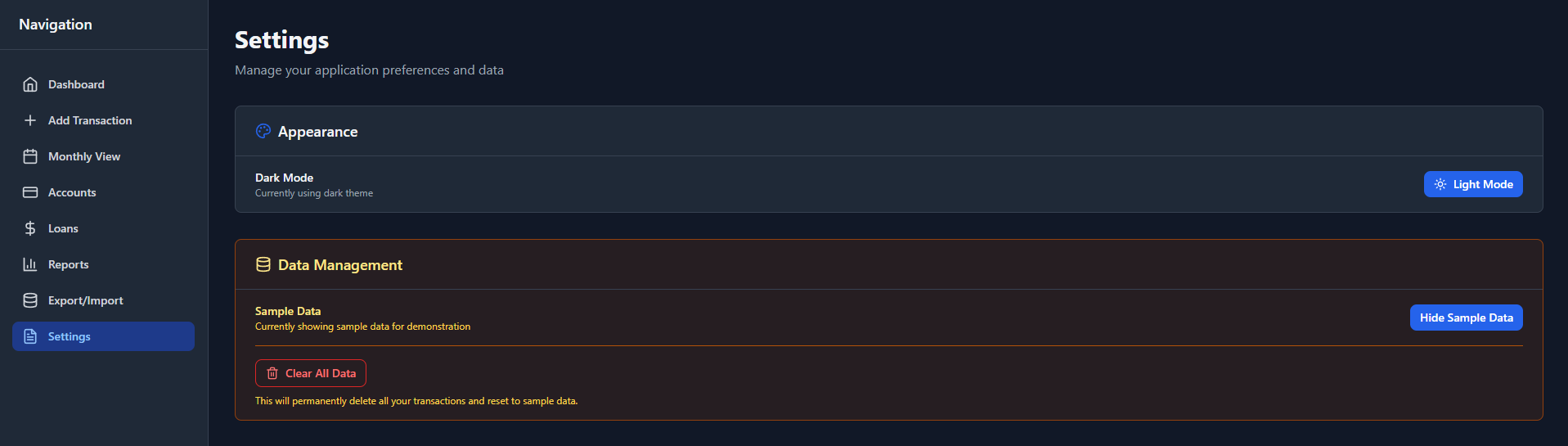

We can also import and export existing finance trackers from excel or sheets into the app by using this sentence:

“I want you to include a functionality where it allows the user to import and export csv and json files and parse it so it gets added to the respective transaction and account in the app”


We can now prepare it for android and web app deployment and do some testing using this sentence:

“I want you to debug and put the application ready for testing on my local server. Provide me as well the instructions to install the apk file for android.”
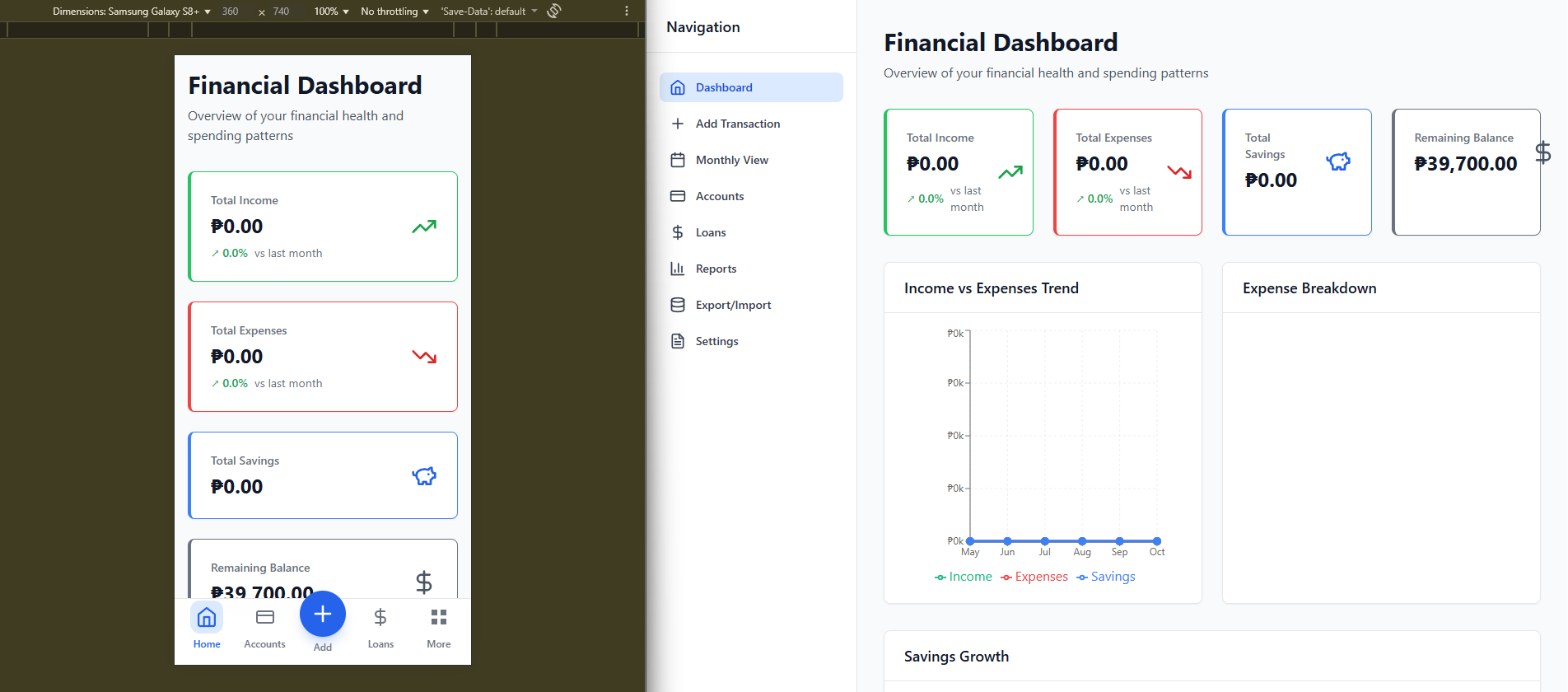


This allows you to finish projects faster, maintain a workable-quality code, and reduce manual troubleshooting.

Pros and Cons
Pros
  • Context-aware code suggestions for multiple languages
  • Integrates seamlessly with popular IDEs
  • Speeds up coding and reduces manual errors
  • Offers debugging assistance and optimisation hints
Cons
  • Some advanced features require a paid subscription
  • AI suggestions may occasionally be wrong or suboptimal
  • Limited support for highly specialised or niche frameworks
  • Requires internet connection for AI-powered features
Integration & Compatibility
  • Works with major IDEs including VS Code, JetBrains suite, and Replit

  • Supports multiple programming languages such as Python, JavaScript, Java, and C++

  • Real-time integration ensures smooth workflow without switching tools

Support & Resources
  • Comprehensive documentation and setup guides

  • Video tutorials for beginners and advanced users

  • Access to a user community and support team for troubleshooting

If you want to explore how AI can accelerate your growth, consider joining a Nimbull AI Training Day or reach out for personalised AI Consulting services.

Powered by Simple Custom Plugin