Introduction
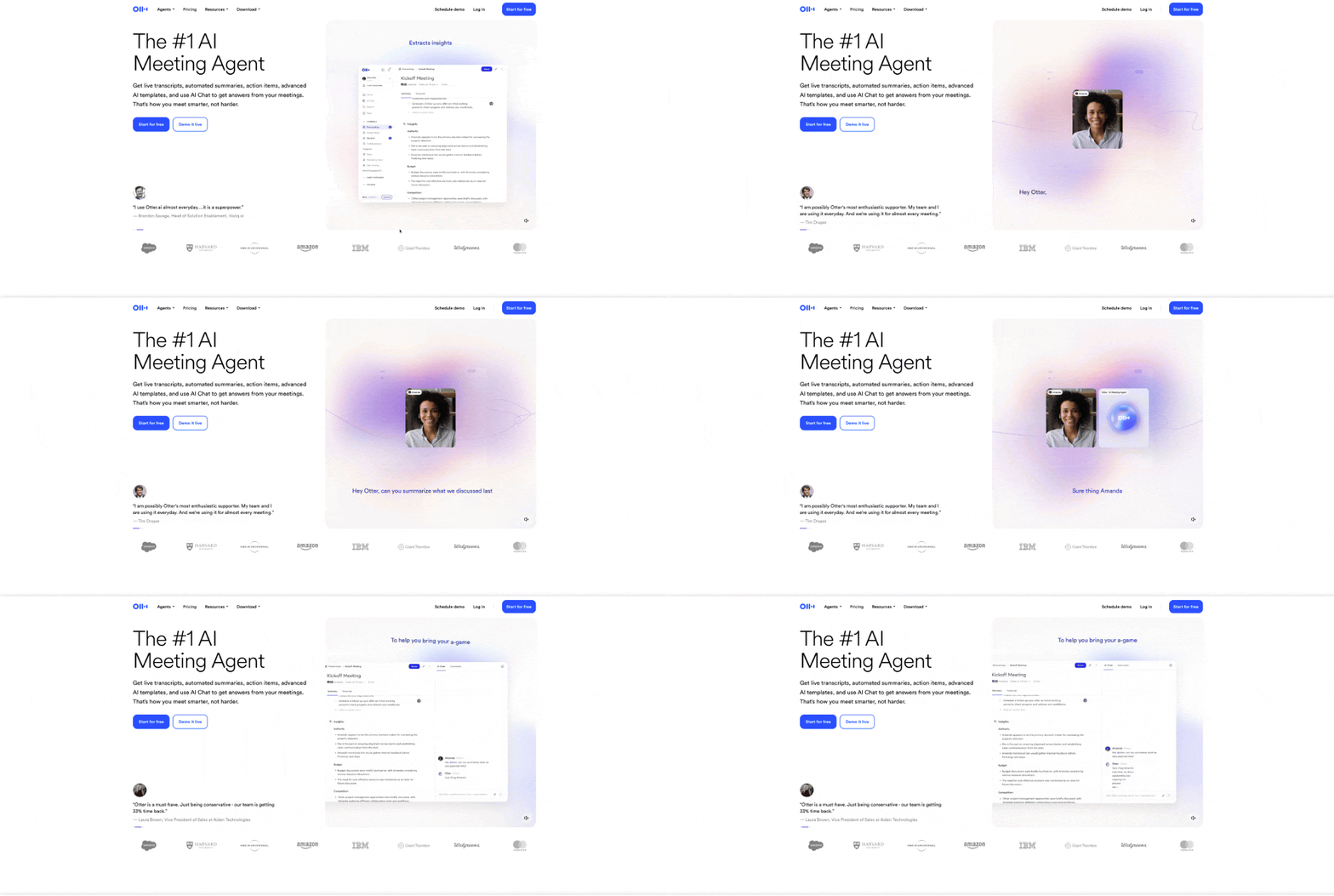
Otter.ai is an AI powered transcription platform designed to help individuals and teams capture, transcribe and collaborate on spoken content in real time. Using advanced speech recognition and natural language processing, it converts meetings, interviews, lectures and conversations into accurate, readable text almost instantly.
This makes Otter.ai particularly valuable for professionals who need reliable records of discussions without spending hours manually transcribing audio. By automating transcription and adding collaboration features such as highlighting, commenting and summarising, the platform helps teams stay aligned and informed while saving significant time.
Competitor Comparison
Here is how Otter.ai compares with other transcription and meeting note tools:
| Tool | Description |
|---|---|
| Otter.ai | Real time transcription with collaboration and integrations |
| Fireflies.ai | Highly accurate transcription with strong analytics |
| Google Meet Gemini Meeting | Native Google Workspace integration with automatic summaries |
| Fathom | Meeting analytics with CRM integrations and generous free plan |
| Rev | Human assisted transcription for high accuracy needs |
Compared with these tools, Otter.ai stands out for its combination of live transcription, collaboration features and ease of use.
Primary Users
The main users of Otter.ai include:
- Business teams recording and documenting meetings.
- Project managers tracking discussions and action items.
- Educators capturing lectures and classroom sessions.
- Journalists and researchers transcribing interviews.
- Professionals who need accurate written records of conversations..
Difficulty Level
Otter.ai is categorised as Easy difficulty.
- The interface is simple and intuitive for new users.
- Recording and transcription can be started with minimal setup.
- Advanced features such as integrations and collaboration tools are easy to configure.
- No technical expertise is required to use the platform effectively.
This makes it suitable for both individuals and teams.
Use Case Example
Here is a practical example of how Otter.ai can be used in a team environment.
Task: A project manager wants to capture and share insights from weekly team meetings.
Steps:
- Start recording the meeting using Otter.ai, either in person or through a virtual meeting platform.
- The platform automatically transcribes the conversation in real time.
- Highlight key sections and important action items during or after the meeting.
- Generate summaries to quickly review the discussion.
- Share the transcript with team members, allowing them to comment or add notes.
Result/Impact
Using Otter.ai improves communication and documentation across teams.
- Meetings are accurately recorded and easily accessible.
- Important points and decisions are not missed.
- Team members can review discussions even if they were not present.
- Time spent on manual note taking is significantly reduced.
This leads to better collaboration and more efficient workflows.
Pros and Cons
Pros
- Real time transcription with high accuracy.
- Easy collaboration through shared notes and highlights.
- AI generated summaries for quick review.
- Integrates with popular meeting and productivity tools.
- Simple interface suitable for all users.
Cons
- Free plan has limited transcription minutes.
- Premium plans may be costly for large teams.
- Accuracy can decrease in noisy environments or with multiple speakers.
Integration & Compatibility
- Google Meet and Zoom for automatic meeting transcription.
- Cloud storage platforms such as Google Drive, Dropbox and OneDrive.
- Slack for sharing transcripts and collaborating with teams.
- Web and mobile platforms for accessibility across devices.
Support and Resources
- Detailed user guides and video tutorials explaining platform features.
- Email support for account and technical issues.
- Community forums where users share tips and best practices.
- Help resources for improving transcription accuracy and workflow usage.
For teams and professionals looking to capture, organise and collaborate on spoken content, Otter.ai offers a practical and efficient AI powered solution.
If you want to explore how AI can accelerate your growth, consider joining a Nimbull AI Training Day or reach out for personalised AI Consulting services.
Introduction
Otter.ai is an AI-powered transcription tool designed to help individuals and teams transcribe, summarise, and collaborate on meetings, interviews, lectures, and more. Using advanced speech recognition and natural language processing (NLP), Otter.ai instantly turns audio into accurate, readable text, making it an indispensable tool for businesses, educators, and professionals across industries. By saving time on manual transcription, Otter.ai ensures that you can focus on high-priority tasks while maintaining accurate records.
Competitor Comparison
Otter.ai competes with other transcription and meeting note tools like Fireflies.ai, Google Meet Gemini, and Fathom.
| Tool | Strengths |
|---|---|
| Otter.ai | Real-time transcription, collaborative editing, seamless integrations |
| Fireflies.ai | Highly accurate transcription, extensive language support, robust analytics |
| Google Meet Gemini Meeting | Native integration with Google Workspace, automatic note-taking and summaries |
| Fathom | Advanced meeting analytics, strong CRM integrations, and unlimited storage on the free plan |
Pricing & User Base
Otter.ai offers a free plan with limited features, while premium plans start from USD $8.33/month for additional transcription minutes, integrations, and team collaboration features.
Primary Users: Business owners, team leaders, marketers, educators, and professionals who need transcription services for meetings, webinars, and interviews.
Difficulty Level
Easy – Otter.ai is designed to be user-friendly and can be quickly adopted by non-technical users. More advanced features, such as integrations and team collaboration, are simple to set up as well.
Use Case Example
Imagine you are a project manager running a weekly team meeting. With Otter.ai, you can:
Record: Capture the meeting in real-time, whether in-person or virtual.
Transcribe: Automatically convert the spoken content into accurate text, capturing key details.
Summarise: Highlight important sections of the transcription, ensuring you don’t miss key action points.
Collaborate: Share the transcription with team members, who can comment, highlight, or add notes.
This ensures that no important discussions are missed, and everyone has access to the meeting outcomes, whether they attended or not.
Pros and Cons
Pros
- Real-time transcription and collaboration
- Supports multiple file formats and integrations
- AI-powered summaries for quick information retrieval
- Seamless integrations with tools like Zoom, Google Meet
Cons
- Free plan limited to 300 minutes per month
- Premium features can get expensive for larger teams
- Accuracy may be reduced in noisy environments
Integration & Compatibility
Otter.ai integrates seamlessly with popular tools such as:
Google Meet and Zoom for automatic meeting transcriptions
Dropbox, Google Drive, and OneDrive for file storage and access
Slack for team collaboration and sharing transcripts
These integrations make it easy to automate and centralise your workflow, ensuring efficient data access and sharing across platforms.
Conclusion
Otter.ai offers:
Detailed user guides and video tutorials
Email support for troubleshooting and account inquiries
Community forums for best practices and shared tips
If you want to explore how AI can accelerate your growth, consider joining a Nimbull AI Training Day or reach out for personalised AI Consulting services.