Introduction
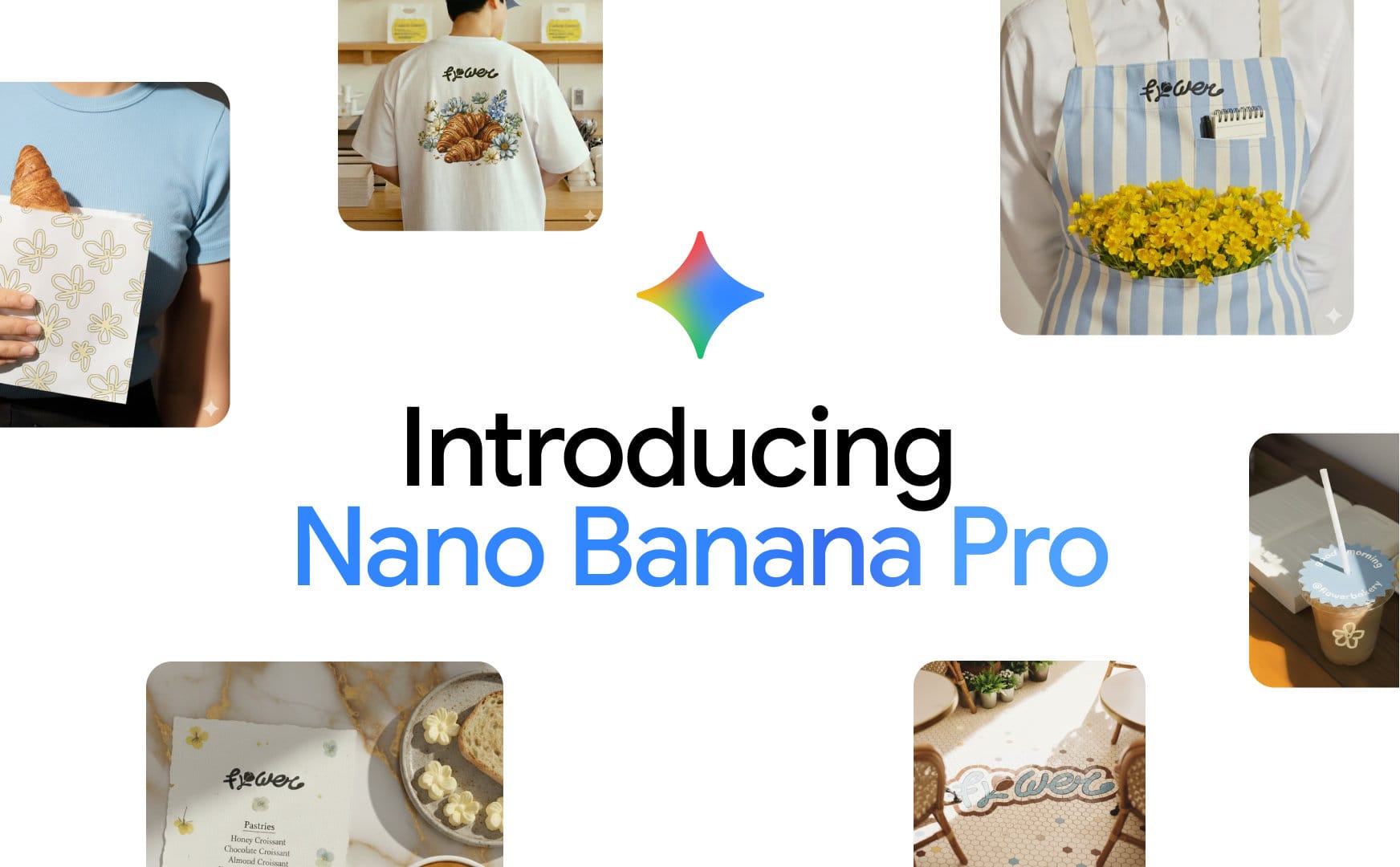
Nano Banana is Google’s AI model for creating and editing images from plain-English instructions. It replaced Google’s older Imagen models, which Google has now shut down in the Gemini API. The latest version, Nano Banana 2.1, was released on 6 October 2026 and is rolling out across the Gemini app, Google Search and Google Ads.
What sets it apart is editing. Upload a photo, describe the change you want, and Nano Banana keeps the product, person or setting looking the same while it makes the edit. It can also write clear, readable text directly into an image, which older image generators struggled with.
Competitor Comparison
Nano Banana competes with GPT Image 2 in ChatGPT, Midjourney, Adobe Firefly, FLUX.2 and Ideogram.
| Tool | Strengths |
|---|---|
| Nano Banana (Google) | Edits existing photos from a description and keeps subjects consistent across edits. Free in the Gemini app, built into Search, Slides and Google Ads |
| GPT Image 2 (ChatGPT) | Strong prompt accuracy and dense text in images. Replaced DALL·E in ChatGPT in 2026 |
| Midjourney V8.1 | Stylised, art-directed imagery with a strong look straight out of the box |
| Adobe Firefly | Trained on licensed content for commercially safe use, built into Photoshop and Creative Cloud |
| FLUX.2 | Open-weight model for photorealism that developers can run and customise in their own systems |
| Ideogram 3.0 | Reliable typography for posters, logos and text-heavy graphics |
Pricing & User Base
At the time of writing, Google Imagen is available within Google Gemini, with basic features free while advanced capabilities require a subscription to a plan like Gemini Advanced, which is part of the Google One AI Premium plan.
Primary Users: Marketers, content creators, small business owners, educators, and social media managers who need professional imagery quickly.
Difficulty Level
Ease of Use: Easy
If you can describe what you want in a sentence, you can use Nano Banana: type a prompt or upload a photo in the Gemini app and ask for the change..
Use Case Example
Picture a local café owner who needs a fresh image for this week’s winter specials post. Until now, that meant booking a photographer or posting a flat phone photo of a coffee on the counter. With Nano Banana, they upload that phone photo to the Gemini app and ask for the cup on a sunlit timber table, with a chalkboard behind it reading “Winter Specials: Chai Latte $5.50”. Nano Banana keeps their own cup and latte art, builds the scene and writes the sign. If the price changes, they ask for the update in the same chat.
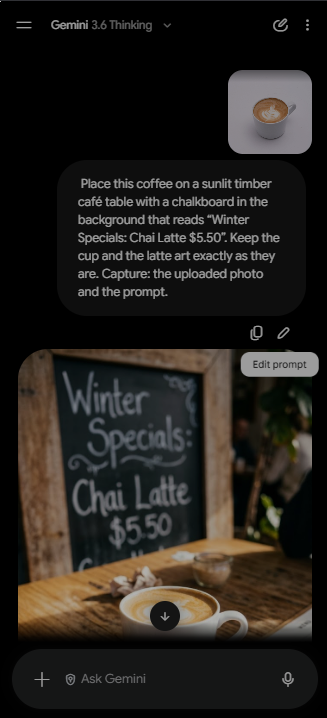
This example works for any business that wants better visuals from photos it already has, without hiring a designer.
Pros and Cons
Pros
- Edits your existing photos from a plain-English instruction, so a product shot can be restyled without a reshoot
- Keeps people, products and settings consistent across several edits, which suits a series of social posts or ad variations
- Writes legible text inside images, useful for menus, posters, signage and infographics
- Free to start in the Gemini app, with paid plans for higher limits and the Pro model
- Outputs up to 4K and in wide or vertical formats for banners, Stories and Reels
- Built into tools many businesses already use, including Google Slides, Search and Google Ads
Cons
- Every image carries Google’s invisible SynthID watermark, which can’t be switched off, so images are identifiable as AI-generated
- Small details such as logos, fine print and hands can still shift between edits, so check every version before publishing
- Free use has a daily cap, and Google prices its plans in US dollars
- Google renames and replaces its image models often (Imagen, then Nano Banana, Nano Banana 2 and 2.1), so saved workflows and integrations need regular updates
- Short, tag-style prompts written for older generators give flatter results; Nano Banana works best with full-sentence descriptions
Integration & Compatibility
- Gemini app on web, iOS and Android
- Google Search AI Mode and Google Lens, in the Google app and in desktop and mobile browsers
- Google Slides, Google Vids and NotebookLM (Nano Banana Pro)
- Google Ads asset generation, Flow (Google’s AI filmmaking tool) and Stitch (Google’s AI design tool)
- Developers: the Gemini API through Google AI Studio and Vertex AI
- Third-party creative platforms including Picsart
Support & Resources
- Gemini Apps Help Centre for usage limits, plans and account questions
- Google DeepMind’s Nano Banana page, with example prompts and model details
- The Gemini API image generation guide on ai.google.dev, plus Google’s Imagen to Nano Banana migration guide for developers
- Google AI Studio for testing prompts in the browser before building
- Google AI Developers Forum for technical questions
If you want to explore how AI can accelerate your growth, consider joining a Nimbull AI Training Day or reach out for personalised AI Consulting services.